Everyone brings their own model. The team shares the meal.
Run an AI model on your own machine, and still share what makes it useful at work: a common memory of how your team does things, the same tools, and one place to manage who has access.
Your model never leaves your machine. Only shared memory and tool traffic reach this server.
Getting started
Three steps, about ten minutes
Run a model locally
Ollama, LM Studio, or llama.cpp — anything serving an OpenAI-compatible endpoint. Pick a size that fits your machine.
Install Potluck
One command. No package manager, no repository access, nothing to configure by hand.
Sign in once
Approve the code in your browser. Your agent is connected to your team's memory and tools from then on.
curl -fsSL https://potluck.adambrill.io/install | sh
Then run potluck login. You will never have to handle an access token — signing in stores one and connects your agent for you.
Why teams do this
Already happening, just not on purpose
Work you can see
People run models on their laptops whether or not anyone planned for it, and nothing on the network shows it. Potluck gives those agents an identity and an audit trail, so local work stops being invisible work.
Hardware you already bought
The laptops on your team's desks are capable machines that sit mostly idle. Running the everyday work there costs nothing extra and keeps the data on the machine it started on.
A dial, not a switch
Local models handle a great deal, but not everything. Keep the hard problems on whatever hosted model you already use — and move the line as open models improve, which lately is often.
What gets shared
The parts worth having in common
-
Team memory
Conventions, gotchas, decisions and their reasons. Ask your agent to remember something and a teammate's agent can use it moments later. It is a folder of Markdown files — readable and editable by people too.
-
Skills
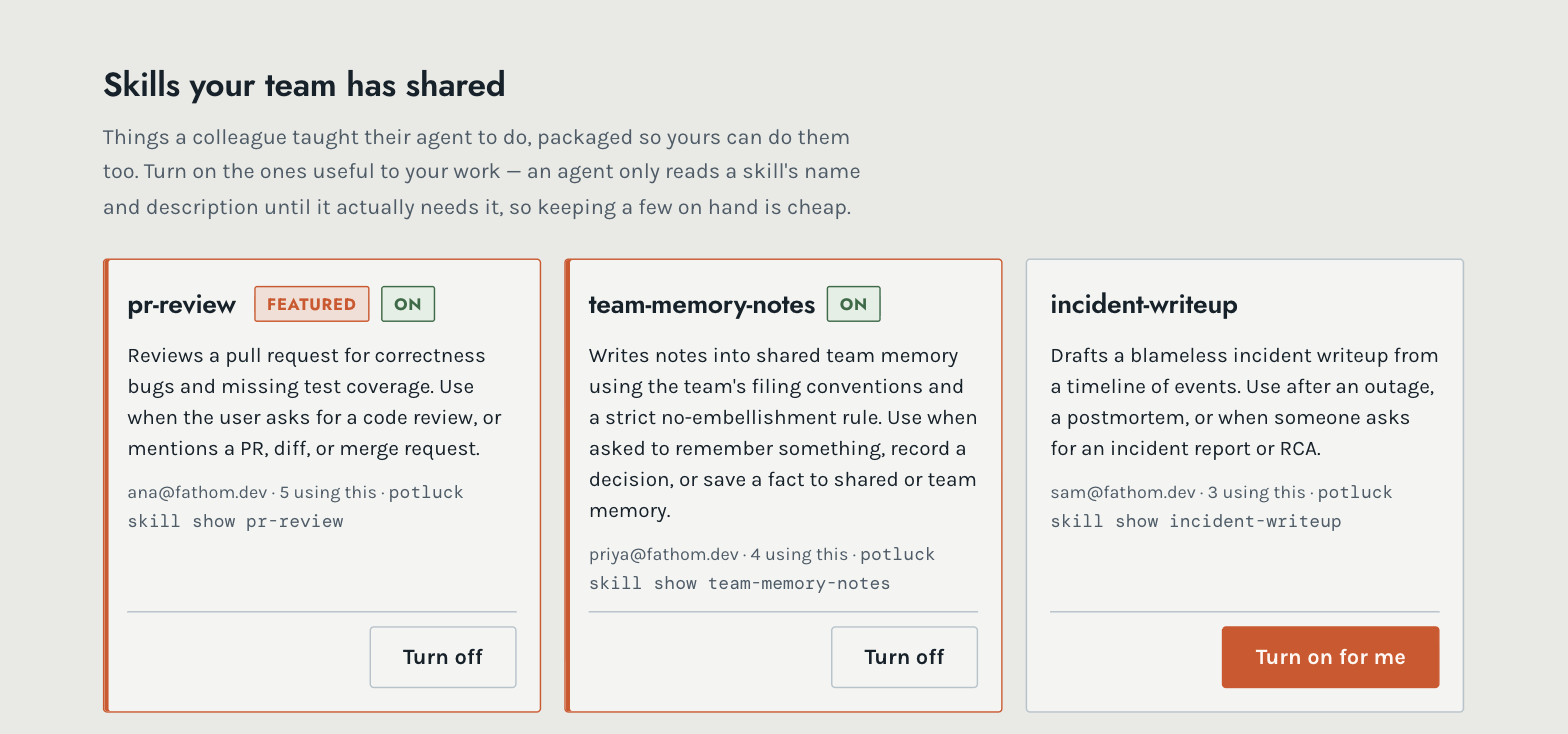
A colleague teaches their agent to do something well, then shares it. Everyone else picks the ones useful to their work. Standard
SKILL.mdfolders, so they work in whichever agent you already use. -
Standing instructions
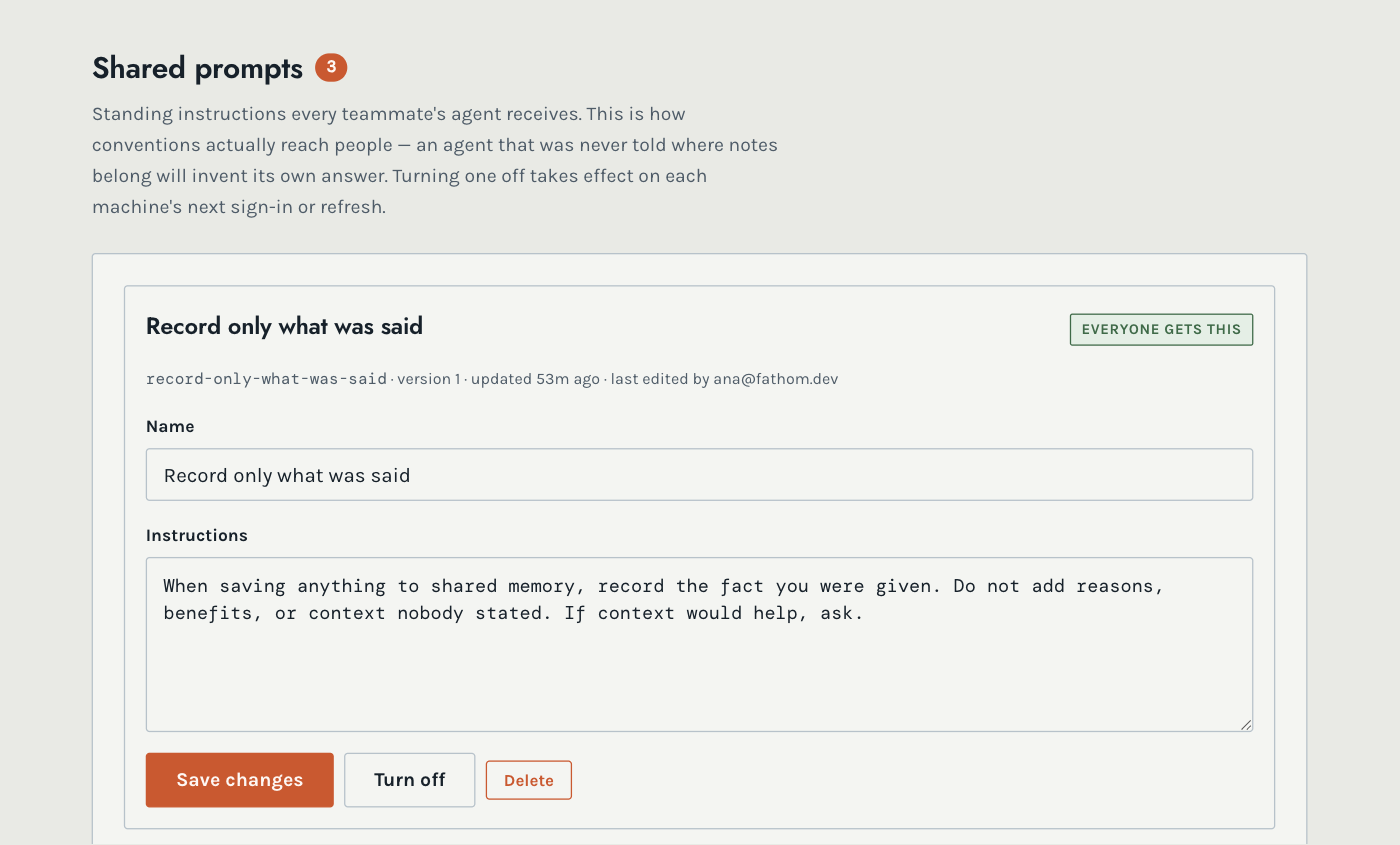
House rules every agent follows — where notes belong, how to record a decision. Published once, and they reach every machine without anyone copying a file around.
-
Tools and connectors
An approved set everyone gets automatically, with credentials that stay per-person rather than shared around.
A look inside
What your team actually sees
A library your colleagues fill
Every skill has a name, a description of when to use it, and the person who wrote it. Turn on the ones that fit your work; an agent only reads a skill's description until it actually needs it, so keeping a few on hand costs almost nothing.
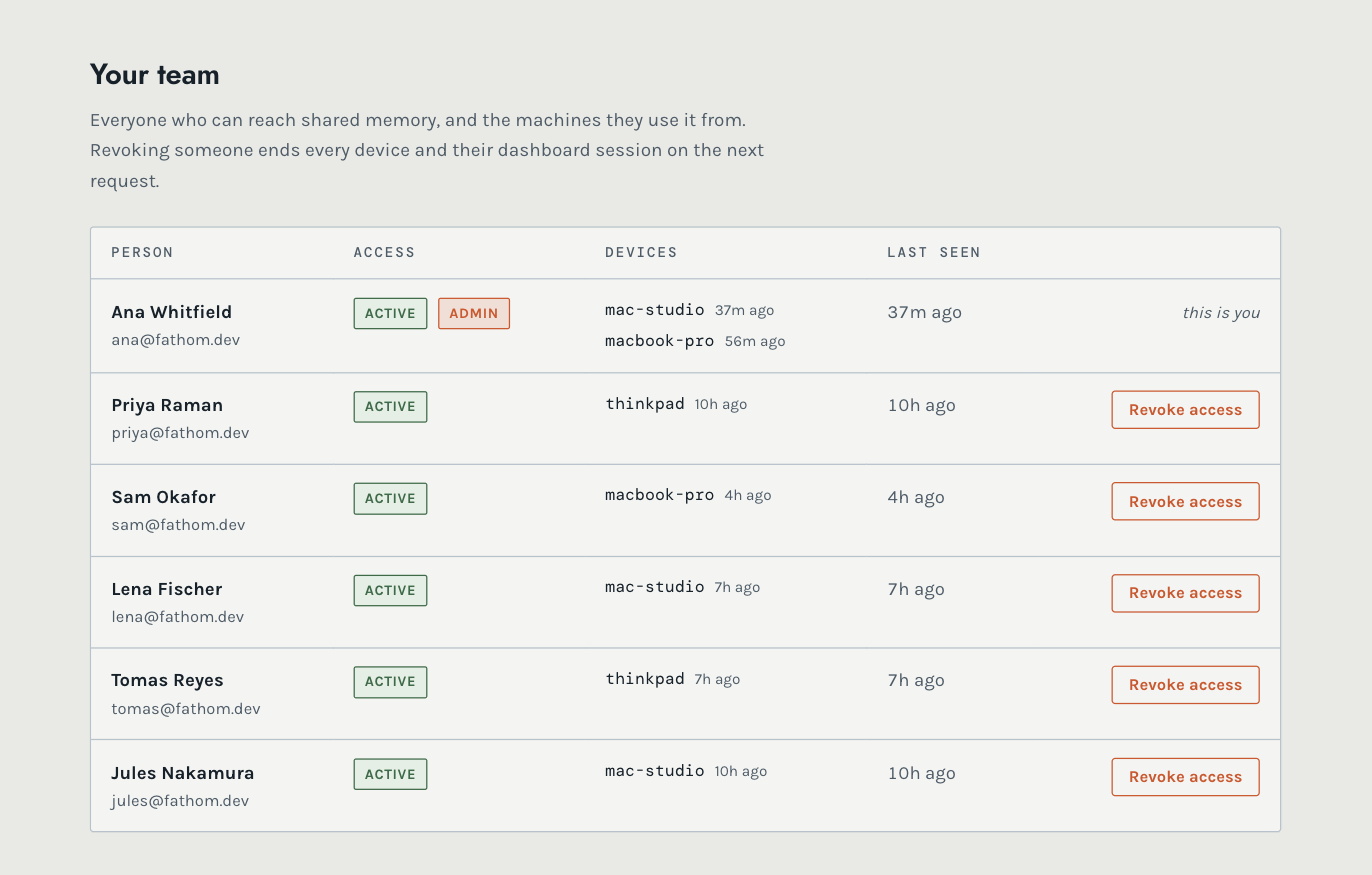
One place to see who has access
Everyone on the team, the machines they work from, and when each was last used. Revoking someone ends every device and their dashboard session on the next request — nothing to chase down on a laptop you cannot reach.
Conventions that reach people
An agent nobody told where notes belong will invent its own answer, and two agents will invent two. Standing instructions are written once here and arrive on every machine at its next sign-in.